

Skip to content

Bulk translation for Shopify

In development · Early access

Translate the whole catalog. Keep every word you fixed.

Civet translates thousands of products into every language you sell in, straight into Shopify's own translations. It shows you everything first, never touches the lines you fixed by hand, and undoes a whole run in one click. Flat monthly price. Zero word math.

Still in development. No storefront script, no theme edits, nothing to clean up if you leave (we hope you won't).

Civet · Review translations de
Recorded in the Civet app on a test store: every run starts as a preview, and translations you made by hand are kept.
Hand-coloured illustration of a civet, walking left, its tail ringed and its coat spotted

Psst. I never touch your hand edits.

Plate I · The civet Quiet, careful, leaves no trace. Basically the opposite of most translation apps.
Habitat
The Shopify admin
Diet
Product catalogs, any size
Temperament
Careful. Previews everything.
Footprint
None. No storefront script.
Known for
One-click undo

Plate II · Field recording

One minute. Zero wiped edits.

Filmed in a real Shopify admin on a test store, narrated nature-documentary style. Sound on (or captions on, we don’t judge).

More short videos: preview, undo, glossary and the SEO check →

Field notes · Observed in German

Real output. Not a mock-up.

Five specimens, collected from one German run on our test store and left exactly as Civet wrote them. No retouching. No stunt doubles.

Field notes: real Civet output
  1. № 01 · Title · The Out of Stock Snowboard

    enThe Out of Stock Snowboard

    deDas ausverkaufte Snowboard

    Translated as a German shopper would say it, not word for word.

  2. № 02 · Description · The Complete Snowboard

    enThis PREMIUM snowboard is so SUPERDUPER awesome!

    deDieses PREMIUM Snowboard ist so SUPERDUPER toll!

    Bold, italics and every HTML tag survive the crossing.

  3. № 03 · Title · Hydrogen

    enHydrogen

    deHydrogen

    A product name stays a product name.

  4. № 04 · Title · Gift Card

    enGift Card

    deGeschenkgutschein

    Kept

    Someone had already fixed this one by hand, so Civet left it alone. Remarkable restraint.

  5. № 05 · The whole run · Undo

    deDas ausverkaufte Snowboard

    enThe Out of Stock Snowboard

    Undone

    Changed your mind? One click put the run back the way it was.

Copied off Civet’s review screen: one run, 42 fields, German, October 27, 2026. Nothing here is simulated.

Range map · Every market you sell in

Wherever your shoppers are.

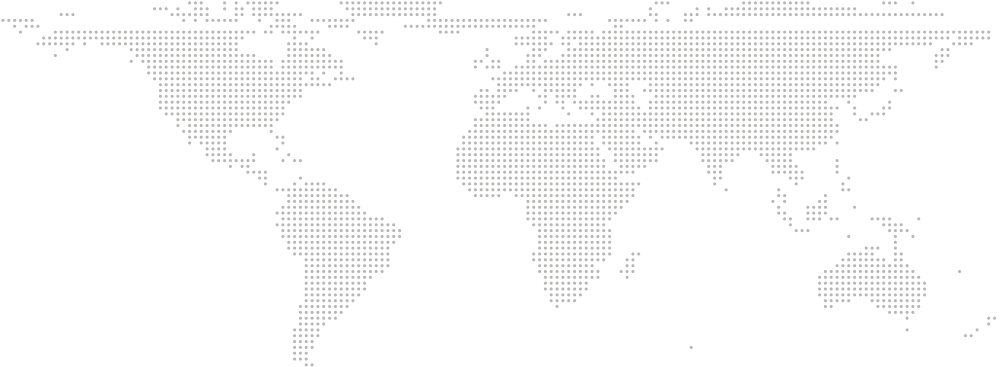
Native range: anywhere you sell. Civet translates into the languages you publish in Shopify Markets, up to 20 on the bigger plans (Shopify’s own limit), and your theme shows each one on its own language URL.

Range map
  1. German, for example in Berlin
  2. French, for example in Paris
  3. Spanish, for example in Madrid
  4. Italian, for example in Rome
  5. Dutch, for example in Amsterdam
  6. Swedish, for example in Stockholm
  7. Japanese, for example in Tokyo
  8. Korean, for example in Seoul
  9. Portuguese, for example in São Paulo
  10. Spanish (Mexico), for example in Mexico City
  11. French (Canada), for example in Montréal
Example markets, one per language. The pins are illustrative, not customers. Those come later. 11 shown · up to 20 per store

Plate III · Observed in the wild

We read 305 angry reviews so you don't have to.

One- and two-star reviews of six Shopify translation apps. The same complaints, over and over: broken themes, wiped edits, surprise bills. So we built Civet to be the opposite.

№ 01

Leaves no trace

Translations go straight into Shopify's own fields. No storefront script, no proxy, no theme code. Uninstall and there's nothing to clean up. (It's a civet thing.)

Heard in the App Store
“I uninstalled the app and it left orphan ghost code in my theme.”

№ 02

Your edits are off-limits

Fixed a line by hand? It's locked. Bulk runs walk right past it unless you say otherwise.

Heard in the App Store
“Auto-translate silently overwrote weeks of custom manual edits.”

№ 03

Look first. Undo anyway.

Every run starts as a side-by-side preview. Nothing goes live until you hit apply, and one click undoes the whole run. No drama.

Heard in the App Store
“Every time I hit translate, I worry it will break something live.”

№ 04

New products, handled

Add or edit a product and Civet re-translates just what changed. The activity log shows every change, and anything that failed.

Heard in the App Store
“New products stay untranslated for weeks until customers complain.”

Paraphrased from public one- and two-star Shopify App Store reviews of translation apps (see our 305-review study under Guides).

Plate IV · Habitat: search

Translated pages that are actually finished.

A product isn't really translated if its meta title, description, URL handle or alt text is still in English. Civet checks every language, lists what's missing, and a preview run fills the gaps.

Shopify Markets puts your translations on real language URLs like /de/ and writes the hreflang tags itself. Civet doesn't inject anything, and the free readiness check confirms those tags are there and pointing at the right pages.

Will this get you to #1 on Google? We won't promise that, and you should side-eye anyone who does. We just make sure every market has all its pieces.

What the audit covers, per language

  • Untranslated product, collection and option titlesFixed
  • Missing translated meta titles and descriptionsFixed
  • URL handles still in the source languageFixed
  • Image alt text not translatedFixed
  • Translations marked outdated after source product editsChecked
  • Hreflang tags missing or pointing to the wrong page (free readiness check)Checked

Civet fixes the translated fields in place. Hreflang is generated by Shopify Markets; the free readiness check verifies it on your live store.

Plate V · Life cycle

Set it up once. Then go do literally anything else.

  1. 01

    Install, pick languages

    Civet reads the languages you've published in Shopify Markets. No theme setup, no code.

  2. 02

    Teach it your words

    Brand names to never translate, terms you always use. Every run follows the glossary. Growth and Scale also learn your brand voice.

  3. 03

    Preview, then apply

    Pick what to translate (active products only, certain content types, skip URL handles), check the preview, hit apply. Undo is one click.

  4. 04

    Leave it running

    New and edited products sync on their own. The SEO check keeps an eye on every language, and the log shows every change.

Plate VI · Upkeep

Flat prices for big catalogs. Zero word math.

Billed through your Shopify invoice. Paid plans come with a 14-day free trial (up to 1,000 products while you try it). No word counts, no surprise upgrades, no API-key homework.

Free

Try it on part of your catalog.

$0

USD

per month

Includes:

  • Every language your store supports (up to 20, Shopify's limit)
  • Up to 500 products
  • Preview and undo
  • Manual edits protected

Starter

Recommended

For catalogs that change every week.

$12

USD

per month

14-day free trial. Includes:

  • Every language your store supports (up to 20, Shopify's limit)
  • Up to 5,000 products
  • Auto-sync on product changes
  • Preview and one-click undo
  • Manual edits protected
  • No word limits

Growth

For large catalogs and many markets.

$29

USD

per month

14-day free trial. Includes:

  • Up to 15,000 products
  • Brand voice
  • Full SEO audit for every language
  • Everything in Starter

Scale

For catalogs in the tens of thousands.

$79

USD

per month

14-day free trial. Includes:

  • Up to 100,000 products (fair use)
  • Priority support
  • Help moving translations from another app
  • Everything in Growth

Prices may change before launch. Early access members will hear about any updates first. "Fair use" means very large catalogs (100,000+ products) may need a custom plan. We'll tell you before anything changes, and nothing is charged without your approval in Shopify.

Field notes

Good questions. Straight answers.

How is native translation different from a script or proxy?

Some translation apps show translations by adding a script to your storefront or by routing visitors through their own servers. In public reviews, merchants describe slower pages, a flash of the original language, and leftover code after uninstalling.

Civet adds nothing to your storefront. It writes translations into Shopify's own translation fields, so your theme shows them on Shopify's language URLs (like /de/), and there's nothing to remove if you uninstall.

How does Civet compare to Shopify's free Translate & Adapt app?

Translate & Adapt is Shopify's free app, and for many stores it's the right place to start. Its automatic translation covers two languages in most countries, and up to eight for stores in twelve European countries (among them Germany, France, Spain, Italy, the Netherlands, the UK and Switzerland), with a weekly auto-sync there. Every Civet plan, Free included, covers every language your store supports (Shopify allows up to 20). Civet also previews every bulk run, skips lines you've edited by hand, and can undo a run in one click. Both apps store translations in the same place, so you can use them side by side.

What happens when I uninstall?

Your translations stay. They're saved in Shopify's own translation fields, not in Civet, so your translated store keeps working exactly as it is. You can still edit them in the Shopify admin.

There's nothing to clean up: no script, no theme code, no DNS records. Billing stops through Shopify. What goes away is Civet itself: auto-sync, the undo history, the glossary and the SEO audit. When Shopify sends its data-deletion request after uninstall, we delete what we stored for your shop.

I already have translations. Will Civet overwrite them?

Not unless you ask it to. Existing translations are treated as protected when you install. The first preview shows them as "kept", and you choose whether any should be re-translated.

Does it work with Shopify Markets and my theme?

Yes. Civet uses the languages you publish in Shopify Markets, and your theme shows them through its own language selector. We don't add a widget. Shopify creates the language URLs and hreflang tags itself.

What content gets translated?

Products, variants, options, collections, metafields, SEO titles and descriptions, URL handles, image alt text, pages, blog posts, navigation menus and store policies. Content from other apps can be translated when that app stores its text where Shopify's translation system can reach it.

Will this improve my Google rankings?

We can't promise that, and you should be wary of anyone who does. Civet fills in each market's translated titles, meta descriptions, URL handles and alt text, and checks that the hreflang tags Shopify generates are present and point to the right pages. Whether those pages rank is up to search engines.

How good are the translations?

Civet uses a modern AI translation model, guided by your glossary and brand voice. You review every bulk run in the preview before it goes live, and you can edit any line, which then stays locked as yours.

Are there word limits or credits?

No. Plans are limited by number of languages and products, never by words. You don't need your own API key.

When does it launch, and who's building it?

We're aiming for an App Store listing in early 2027. People on the waitlist get access first. Civet is built by an independent developer with a background in web development and technical SEO. When you email, the person who built the product replies.

Join the expedition

Be first in line.

Leave your email and store, and we'll tell you when your invite is ready. No newsletter blizzard, just the invite and the odd field note.

Waitlist sign-up
Languages you need (choose any)

We'll email you about Civet's early access, including a few short notes while we build it. Unsubscribe anytime. Privacy policy

Facts on this page last reviewed .